
Notes and databases in one. Everything in your own files.
Rowslate opens a folder of SQLite databases and Markdown notes. Sort, filter, move work across a kanban board and link records to notes — while your data stays in ordinary files on your disk.
A single HTML file. Runs in Chrome and Edge on a computer, with no installation and no internet. Full version for 45 days, no sign-up.
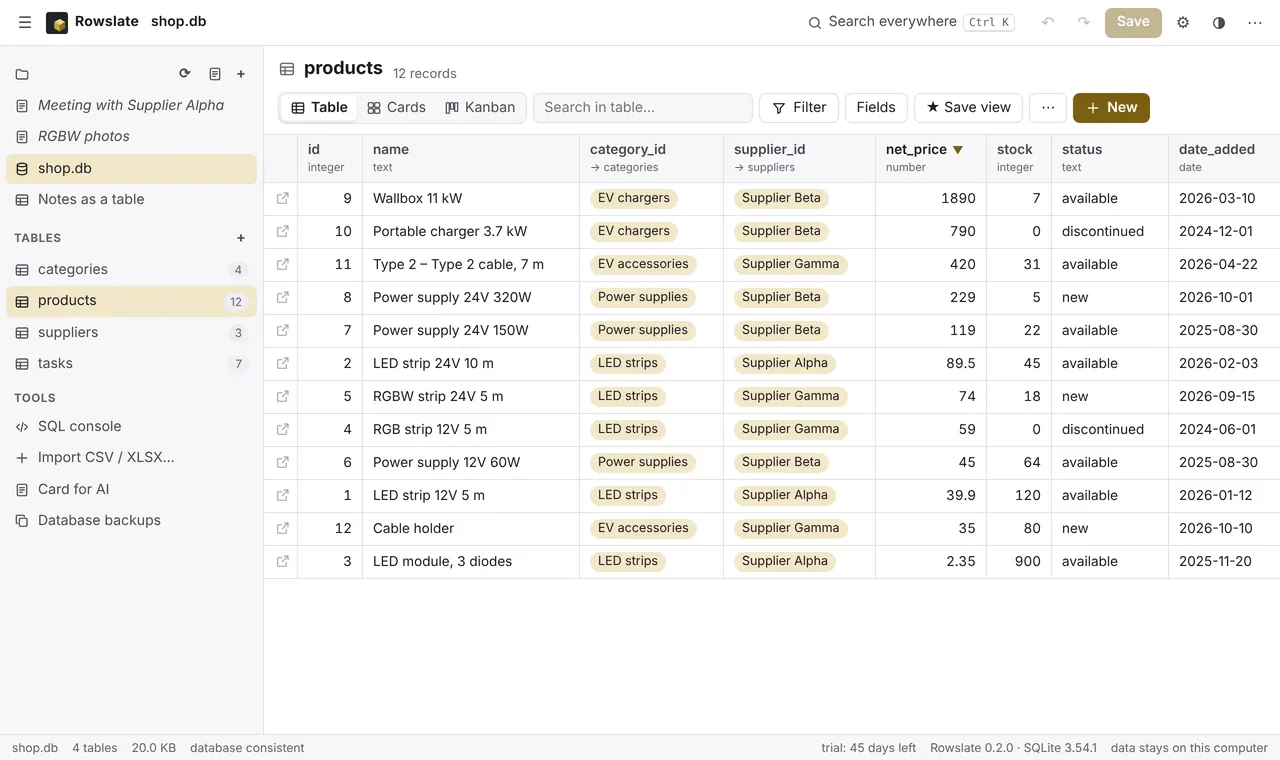
One set of data, three views
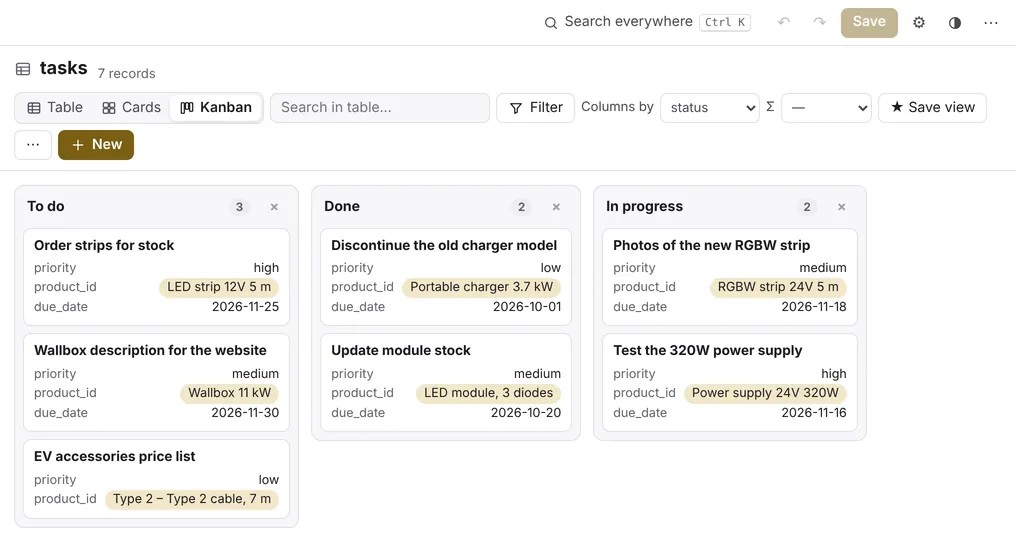
A table for quick work, cards for browsing, kanban for work in progress. Switch with one click — the data stays the same.
- Sorting and filters in one click, no SQL needed.
- A record card with every field, its relations and backlinks.
- Saved views: filters, sorting and column layout one click away.
- Edit in the cell, undo and redo (Ctrl+Z, Ctrl+Y).
- Tables with 100,000 rows — further rows load as you scroll.
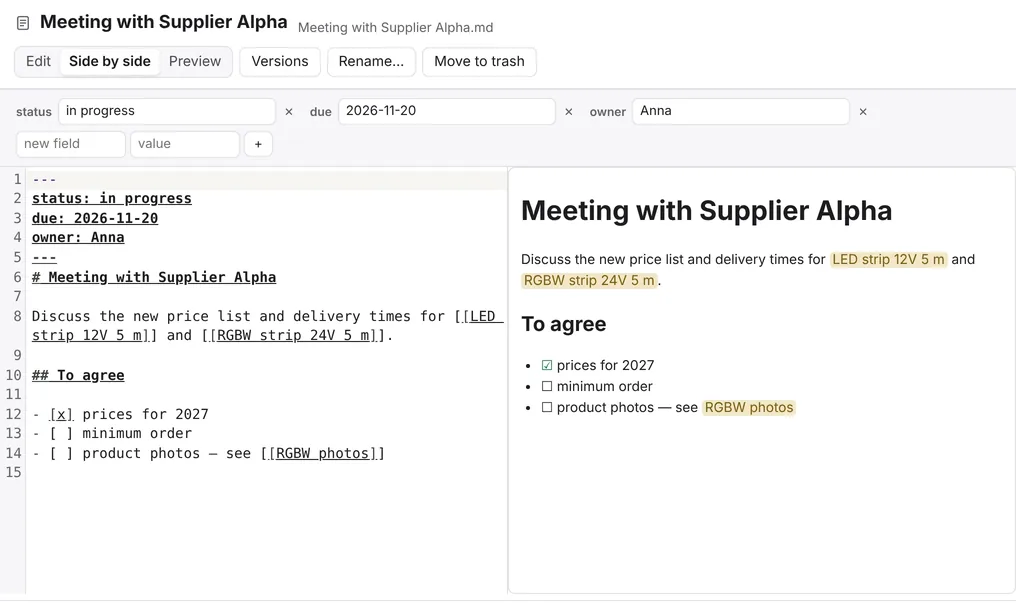
Notes next to your data
Notes are ordinary .md files in the same folder as your databases. A [[Name]] link leads to another note or to a database record. The folder works with Obsidian.
- Edit, preview, or both side by side.
- Fields at the top of a note work like columns: sort, filter and arrange notes on a kanban board.
- Renaming a note updates the links in other notes.
- Versions of every note, and deleted notes go to a trash folder.
From Excel and back
Bring data over from spreadsheets without retyping it, and hand results back in the format you need.
- CSV and XLSX import: the program detects the encoding (including regional Windows encodings), the separator and column types.
- Copy a selection to Excel and paste from Excel (Ctrl+C, Ctrl+V).
- An entire import is one operation — Ctrl+Z undoes all of it.
- Export to CSV, JSON, a Markdown table and a full SQL dump.
Your data stays with you
Rowslate has no server and no account. A built-in security policy blocks every internet connection from the program, so your data never leaves your computer.
- A backup before saving
- In an open folder, a copy of the original is made before the first save. The program keeps the 10 newest copies and the newest one from each of the last 7 days.
- No silent overwrites
- If another program changed the file in the meantime, Rowslate asks whether to reload the version on disk, overwrite it (after backing it up) or save your changes separately.
- Saving that survives interruption
- The file is saved through a temporary file. If the browser closes during a save, the file on disk stays intact.
- Databases in use by another program
- A database with a journal file next to it (-wal, -journal), usually open in another program, opens read-only.
- Integrity check
- When opening a file, the program checks that the database is not damaged.
AI gets a description, not your whole database
Instead of pasting a whole spreadsheet into a chat, you give the AI model a description of your tables and selected results. You decide which columns the AI can see.
- Field descriptions for AI: what a column means, its unit, an example.
- Columns marked “Not for AI” are left out, and “Personal data” is masked.
- Card for AI: a description of the database to copy into a chat, with an estimated token count.
- The rowslate-mcp server: AI tools get read-only access to your databases, and the calculations run on your computer (for advanced users, requires Python).
How to start
Download the file
Rowslate.html is the whole program. Save it in any folder.
Open it in Chrome or Edge
Double-click the file or drag it into a browser window. Nothing is installed.
Choose a folder
Pick a folder with .db databases and .md notes — or start with the sample database of made-up data.
Licence
For 45 days after the first launch the program works in full, without sign-up.
After that, without a licence, it switches to read-only. Browsing, search, filters, export and downloading a copy of the database keep working — access to your data never expires.
You load a licence in the program from a file or as a code. No account and no internet connection are needed.
Pricing for business licences will be published soon.
Questions
- Does my data go to the cloud?
- No. The program runs in the browser on your computer and does not connect to the internet. Your files stay where you save them.
- Can I open these files in other programs?
- Yes. Databases are ordinary SQLite files and notes are ordinary Markdown files. You can open them, for example, in DB Browser for SQLite or in Obsidian.
- Which browsers does it work in?
- Chrome and Edge on a computer. Other browsers do not allow saving directly to a file — there, saving downloads a new copy of the file.
- How large can the databases be?
- Rowslate keeps the database in the browser's memory. Databases up to 1 GB are fully supported; above that the program shows a warning, and over 1.25 GB it opens them read-only.
- Which languages is the program in?
- Polish, English, German, Ukrainian, Latvian, Lithuanian, Spanish (for Spain and for Latin America) and Portuguese (for Portugal and for Brazil). The program follows the browser's language, and you can change it in the settings.